Previous Episode Summary: New to RedCoin recharge in Taiwan? This guide covers the full process—from package selection and payment to balance confirmation—plus available payment methods and troubleshooting tips.
🔴 Quick RedNote Top-up Access: Skip the tutorial? Jump straight to , Select denomination → Pay → Contact customer service for payment within 60 seconds.
For first-time Taiwan users recharging RedNote RedCoin, the top priority is understanding the full end-to-end process. From selecting your RedCoin package and entering your registered mobile number to completing payment and confirming RedCoin credit, every step requires double-checking that all information is accurate. This article provides a practical RedNote RedCoin recharge tutorial tailored for Taiwan users, along with a roundup of currently available payment methods and troubleshooting steps for common recharge issues.
Preparation Before RedNote RedCoin Recharge
Before starting, ensure you have your RedNote account, registered mobile number, and a functional payment method ready.
- ✓ RedNote Account: Ensure the account is functioning normally.
- ✓ Registered Mobile Number: Prepare the mobile number linked to your RedNote account.
- ✓ Payment Tool: Confirm that credit cards, LINE Pay, JKO Pay, convenience store payment, or bank transfer are working properly.
- ✓ Internet Connection: A stable connection is recommended to complete payment and subsequent confirmations.
Step 1: Access the RedNote RedCoin Recharge Page
First, visit the RedNote RedCoin recharge page on 2R (RedNote Recharge) to review the currently available RedCoin packages and payment methods.
Before finalizing payment, it is recommended to review the RedCoin amount, price, and payment methods. Proceed to the next step only after confirming these details meet your needs.
Step 2: Select a RedCoin Recharge Package
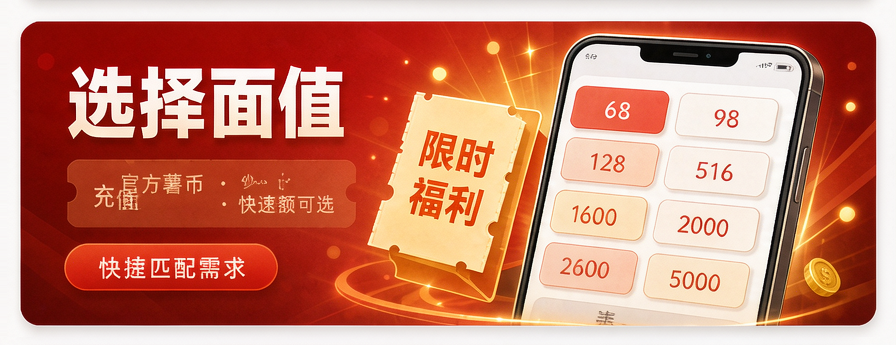
Once on the recharge page, select the RedCoin amount based on your usage requirements.
If this is your first recharge, start with a package that matches your actual needs rather than purchasing an excessive amount solely for a larger quantity.
Don't compare RedCoin amounts alone; also review the actual payment amount, payment method, and order terms. The final price is subject to the recharge page display before payment.
Step 3: Enter Your RedNote Registered Mobile Number
After selecting a package, enter the registered mobile number corresponding to your RedNote account as prompted on the recharge page.
- Confirm Mobile Number: Use the mobile number registered to your own RedNote account.
- Confirm Country/Region Code: If the page requires a full mobile number, include the correct country or region code in the specified format.
- Double-Check: Verify that the digits are entered correctly before submitting the order.
- Account Password: Do not provide your RedNote login password to any recharge customer service agent.
- SMS Verification Code: Do not share any verification codes related to account login with others.
- Mobile Number: Only provide necessary account information on the official recharge page as required.
Step 4: Choose a Suitable Payment Method
94LIVES offers various payment options for the Taiwan region, including Credit/Debit Cards, PayPal, Apple Pay, Google Pay, GASH, JKO Pay, LINE Pay, Convenience Store Barcode, Convenience Store Code, and Bank Transfer. Actual available methods will display based on current payment channels and order status.
- ✓ LINE Pay: Ideal for Taiwan users accustomed to mobile payments.
- ✓ JKO Pay: Suitable for users who regularly use JKO Pay.
- ✓ Credit/Debit Cards: Best for users preferring direct card payments.
- ✓ Convenience Store Barcode: Perfect for users who prefer to pay at convenience stores.
- ✓ Bank Transfer: Suitable for payments via internet banking, mobile banking, or ATM.
- ✓ PayPal: Ideal for users of international e-payment tools.
Step 5: Confirm Order and Complete Payment
After selecting a payment method, carefully review the order details, then complete the payment following the prompts from the payment platform.
- Confirm RedCoin Amount: Ensure the purchased RedCoin amount meets your needs.
- Confirm Mobile Number: Verify the mobile number designated for recharge is correct.
- Confirm Payment Amount: Confirm the final payable amount.
- Complete Payment: Finalize the transaction following the payment page instructions.
- Keep Records: Save the order number and payment record after successful payment.
Step 6: Confirm RedCoin Arrival
After payment, wait for order processing according to the RedNote recharge process. Once completed, log back into your RedNote account to confirm if the RedCoin balance has been updated.
If RedCoin does not arrive after the normal processing time indicated on the page, avoid making a duplicate payment. Instead, contact customer support with your original order information.
How to Handle Recharge Issues?
- Step 1: Confirm if the payment platform has successfully deducted the amount.
- Step 2: Check the current processing status of the recharge order.
- Step 3: Verify that the submitted mobile number is correct.
- Step 4: Keep necessary information such as the order number and payment record.
- Step 5: Contact customer support to inquire about the original order; do not make a direct duplicate payment.
Frequently Asked Questions About RedNote RedCoin Recharge
How long does RedNote RedCoin recharge take?
Actual time varies depending on the payment method, order status, and recharge processing flow. Please refer to the estimated processing time displayed on the current recharge page.
Is my RedNote password required during recharge?
The normal recharge process primarily uses the registered mobile number linked to your account and should not require your RedNote login password.
Can I pay with LINE Pay in Taiwan?
94LIVES currently supports LINE Pay as a payment method in Taiwan. Actual availability and related fees are subject to the checkout page display.
Can I pay at a convenience store?
94LIVES currently supports Convenience Store Barcode and Convenience Store Code payments. Supported stores and specific payment methods are subject to the current order page display.
Ready to Top Up RedNote?
Official Website Top-up · Automatic recharge without password access · 60s Delivery · Cheaper Than Official In-App