Previous Episode Summary: 2R currently lists convenience store barcodes, convenience store payment codes, and other payment methods in its publicly available Taiwan RedCoin recharge information. However, the actual supported payment methods and convenience store locations should be based on what is displayed on the current order page.
🔴 Quick RedNote Top-up Access: Skip the tutorial? Jump straight to , Select denomination → Pay → Contact customer service for payment within 60 seconds.
For Taiwan users who do not have a credit card, rarely use mobile payments, or prefer to pay directly at convenience stores, “RedNote RedCoin convenience store code payment” is a payment method worth knowing about. This type of payment method is usually not completed directly within the RedNote APP. Instead, you first create a RedCoin recharge order, obtain a convenience store payment code or payment information, and then complete the payment at a designated convenience store.
2R currently lists convenience store barcodes, convenience store payment codes, and other payment methods in its publicly available Taiwan RedCoin recharge information. However, the actual supported payment methods and convenience store locations should be based on what is displayed on the current order page.
Convenience store payment code: Usually, you receive a payment code and then follow the instructions provided by the payment platform to complete the payment.
Convenience store barcode: Usually, a barcode or payment slip is generated, which you then take to a supported convenience store to complete the payment. The actual process depends on the current payment page and payment system.
How to pay for RedNote RedCoin using a convenience store payment code?
If you want to learn about the complete RedNote Taiwan recharge methods, convenience store payment can be understood as four main stages: “place an order, obtain payment information, complete payment, and wait for the recharge.”
- Select the RedCoin denomination: Go to the RedNote RedCoin recharge page and select the amount of RedCoin you need to purchase.
- Enter account information: Enter the RedNote registered mobile phone number or other required information according to the instructions on the page.
- Confirm the order: Check the RedCoin quantity, account information, and amount payable.
- Select convenience store payment: Select the convenience store payment code or convenience store barcode payment method currently available on the page.
- Obtain payment information: The system generates the payment code, barcode, or payment information corresponding to the current order.
- Go to a convenience store: Follow the instructions on the page and go to a supported convenience store to complete the payment.
- Complete the payment: Follow the instructions at the convenience store kiosk or counter to complete the payment.
- Keep the payment receipt: Keep the receipt or transaction record after completing the payment.
- Wait for the recharge: After the payment is successful, wait for the order to be processed and confirm that the RedCoin has been credited.
Where can I pay using a RedNote convenience store payment code?
Different payment platforms may support different convenience stores. Therefore, you should not assume that all convenience store payment codes can be used at every convenience store. The stores where the payment code can actually be used are usually displayed directly on the page where the payment information is generated.
- ✓ 7-ELEVEN: Whether it is supported should be confirmed according to the current payment page and payment platform rules.
- ✓ FamilyMart: Whether it is supported should be confirmed according to the current payment page and payment platform rules.
- ✓ Hi-Life: Some payment services in Taiwan support it; the actual availability is subject to the current order page.
- ✓ OK Mart: Some payment services support it; the actual availability is subject to the current payment information.
What should I pay attention to when using a convenience store payment code?
- Payment deadline: Payment codes usually have an expiration period. Once the deadline has passed, the code may no longer be valid.
- Payment amount: Some payment codes require payment of the exact specified amount. Do not modify the amount yourself.
- Order number: Keep the order number for checking the payment status later.
- Receipt: Keep the convenience store receipt until the RedCoin has been successfully credited.
- Do not place duplicate orders: If you have already completed the payment, do not create another order simply because the RedCoin has not been credited immediately.
Which is more convenient, convenience store payment or LINE Pay?
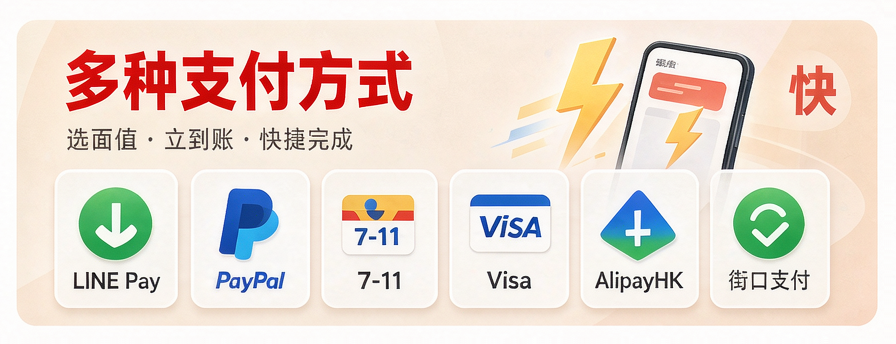
This mainly depends on personal payment habits. LINE Pay is suitable for users who are accustomed to making online payments using their phones, while convenience store payment is more suitable for users who do not want to use credit cards or mobile payments and prefer to complete payments directly at a convenience store.
| Payment Method | How It Works | Main Features |
|---|---|---|
| LINE Pay | Online payment via mobile phone | Faster operation without having to visit a convenience store |
| Convenience Store Payment Code | Obtain a payment code and pay at a designated convenience store | Suitable for users accustomed to making payments through physical stores |
| Convenience Store Barcode | Obtain a barcode and pay according to the specified method | Can be completed according to the instructions on the payment page |
| Bank Transfer | Online banking, ATM, etc. | No need to visit a convenience store |
Payment convenience varies from person to person. The comparison above does not mean that any particular payment method is necessarily better than another.
How long does it take for RedCoin to be credited after paying with a convenience store payment code?
After completing the convenience store payment, the payment record needs to be confirmed by the payment system, after which the recharge service processes the order. Therefore, the RedCoin crediting time may not be exactly the same as the time when the convenience store payment is completed.
If the RedCoin does not appear immediately after payment, first check the convenience store receipt, order status, and whether the payment was successful. As long as the order is still being processed normally, it is not recommended to make another payment.
Frequently Asked Questions About Convenience Store Payment Codes
Can I pay for RedNote RedCoin at a convenience store?
Some Taiwan RedCoin recharge services provide convenience store payment codes or convenience store barcode payment methods. 2R's currently published information also lists related payment methods. Whether they are available and which convenience stores are supported should be based on the current order page.
What should I do if my convenience store payment code has expired?
If the payment code has exceeded its validity period, you will generally need to create a new order or obtain new payment information according to the service platform's rules. Do not repeatedly attempt to pay using an expired code.
Can I cancel my order after paying at a convenience store?
Whether an order can be canceled depends on the payment status and the processing status of the recharge order. If the payment has already been completed, it is recommended to contact the service provider first for confirmation instead of creating another order directly.
What should I do if the convenience store payment was successful but the RedCoin has not been credited?
First, keep the convenience store receipt and order number, and confirm the payment status and account information. If the RedCoin has still not been credited after the normal processing time, contact customer service for assistance.
What should I pay attention to when purchasing RedCoin for the first time?
You can first review the RedCoin purchase notes, especially the account information, RedCoin denomination, payment amount, and payment deadline. Double-checking everything before payment can reduce the chance of entering incorrect information.
Ready to Top Up RedNote?
Official Website Top-up · Automatic recharge without password access · 60s Delivery · Cheaper Than Official In-App